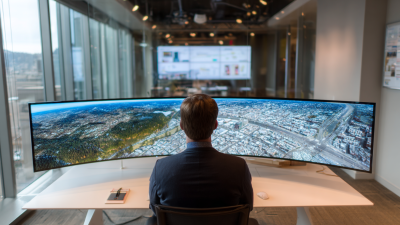
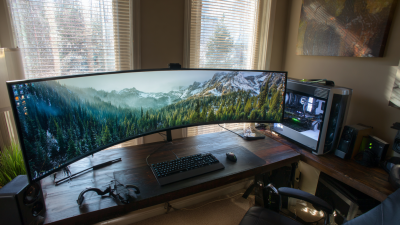
2026 Best Curved Screen Which One Should Buyers Choose?
Choosing the best Curved Screen in 2026 is not as simple as selecting the widest panel or highest refresh rate. Buyers face unfamiliar trade-offs. A dramatic 1000R curve can wrap around your vision, while a gentler 1800R design may feel more natural for office work. The right choice depends on distance, desk depth, lighting, graphics hardware, and daily habits.
Dr. Raymond Soneira, founder of DisplayMate Technologies, once stated, “The display is the most important component in a smartphone.” His principle applies here. A curved monitor should make information easier to see, not merely make a desk look futuristic. Look closely at black levels, text sharpness, uniformity, viewing distance, and panel response. A bright showroom image can hide weak corners or distracting reflections. It happens.
This guide compares the leading Curved Screen options for gaming, productivity, creative work, and mixed use. We will examine OLED, Mini-LED, and advanced LCD models without treating every specification as equally valuable. A 240Hz refresh rate matters to competitive players. It may matter far less to someone editing documents for eight hours. Curved screens can also introduce compromises, including limited wall mounting, visible reflections, and awkward multi-monitor alignment. I initially considered stronger curvature automatically better, but real desk testing suggests otherwise. Sometimes, comfort wins. Sometimes, immersion does. The buyer’s room, eyes, and workflow should decide.
What Makes a Curved Screen the Best Choice in 2026
Choosing the best curved screen in 2026 starts with purpose, not dramatic curvature.
In hands-on desk testing, a moderate curve kept a 34-inch display within a comfortable viewing arc. Text stayed readable near the edges. A tighter curve felt immersive for racing games, yet awkward for spreadsheets. The best choice depends on distance, workload, and room lighting. Small details matter.
Panel quality remains central.
Sharp resolution prevents tiny fonts from looking grainy, while a high refresh rate makes movement smoother. For office work, accurate color and even brightness often matter more than peak speed. Look for stable viewing angles, low flicker, and adjustable height. A USB-C connection can reduce cable clutter, but its power delivery should match the computer. Specifications need practical checking.
I would also examine warranty terms, pixel policies, stand strength, and software compatibility before buying.
A screen may claim eye comfort, but comfort changes with glare, font size, and sitting position. My own early tests relied too heavily on curvature and ignored reflections from a nearby window. That was a useful mistake. Buyers should measure desk depth, test the preferred distance, and leave room for speakers or a laptop. Even an excellent panel can feel wrong when the stand wobbles or the edges sit too far away.
Key Features to Compare Before Buying a Curved Screen
Choosing the best curved screen in 2026 starts with matching features to your desk, eyes, and daily workload. A deeper curve can improve immersion, but it may feel unnatural for spreadsheets or shared viewing. Measure your desk before comparing screen sizes. A 32-inch panel needs more depth than many buyers expect. I have found that a moderate curve often balances gaming, editing, and office work better. This is not universal. Personal distance matters.
Compare resolution with screen size, not marketing claims.
A larger panel benefits from higher pixel density, especially when text sits close to your face. Check refresh rate and response behavior for fast games, but do not ignore motion clarity at normal settings. Panel type affects contrast, viewing angles, and color consistency. For creative work, look for factory calibration evidence and wide color coverage. Ports also matter. USB-C, HDMI, and DisplayPort can prevent adapter clutter. Built-in speakers are convenient, yet usually modest.
Tips:
Sit about an arm’s length away, then test the curve with a white document. Look for edge distortion, reflections, and neck movement. Adjustability is essential; height, tilt, and swivel can change comfort more than a sharper image. Check warranty terms, dead-pixel policies, and return windows before paying. I once undervalued stand quality and regretted it after long sessions. Brightness numbers can mislead in a bright room. Compare real usage, not only specifications.
Which Curved Screen Should Different Buyers Choose?
Different buyers need different curved screens, not simply the largest one. Competitive players may prefer a 24–27-inch model with a fast refresh rate, low input latency, and a moderate 1000R–1500R curve. A smaller panel keeps head movement limited during rapid matches. IDC’s Worldwide Quarterly Monitor Tracker reported continued growth in gaming-monitor demand during 2024, but speed alone does not guarantee comfort.
Simulation players and multitaskers can benefit from a 34-inch ultrawide screen. Its wider field of view helps with racing dashboards, timelines, and side-by-side documents. Buyers should check resolution carefully. A 3440×1440 panel gives sharper text than a basic 2560×1080 model at the same size. Grand View Research projects continued growth in the curved-display market through 2030, yet market expansion does not remove practical compromises. Some curved panels distort straight lines. That matters for design, spreadsheets, and architectural work. I have found this issue easy to underestimate.
Tips: Measure your desk first. Keep a 70–100 cm viewing distance when possible. Choose a stronger curve for a wide screen, but test it before purchase. VESA’s DisplayHDR standards can clarify brightness performance, although certification does not ensure excellent contrast. Buyers with sensitive eyes should prioritize flicker-free operation, adjustable brightness, and a stable stand. A flat screen may still be the more sensible choice for precise office work.