10 Best Curved Screens for Gaming and Work in 2026?
Curved monitors are no longer limited to dramatic gaming setups. They now appear on desks used for spreadsheets, video editing, coding, and competitive play. This guide examines the 10 Best Curved Screens for Gaming and Work in 2026, focusing on practical performance rather than appearance alone.
Industry data supports this growing interest. Grand View Research’s curved display market analysis identifies continued demand across gaming, entertainment, and professional applications. IDC’s Worldwide Quarterly Gaming Monitor Tracker also highlights gaming monitors as an active display category, driven by higher refresh rates and larger screen sizes. These reports show market momentum, but they do not prove that every curved screen suits every user.
That distinction matters.
A 1000R panel can feel immersive during a racing game, yet it may seem aggressive beside a narrow office desk. A 1800R model often provides a gentler viewing arc for long spreadsheet sessions. We will compare refresh rates, response times, resolution, HDR performance, connectivity, and ergonomic adjustment. Brightness and text clarity will receive equal attention. A monitor can advertise 240Hz performance while offering weak contrast or limited stand movement.
Our evaluation also considers real desk conditions: viewing distance, window glare, cable placement, and mixed laptop connectivity. Recommendations will reflect different budgets and workloads, including gaming, productivity, content creation, and hybrid use. Some judgments remain subjective. Personal comfort, desk width, and eyesight can change the result. That is worth acknowledging. A curved screen is not automatically better; it is better when its design matches the way you work and play.
What Makes a Curved Monitor Suitable for Gaming and Work
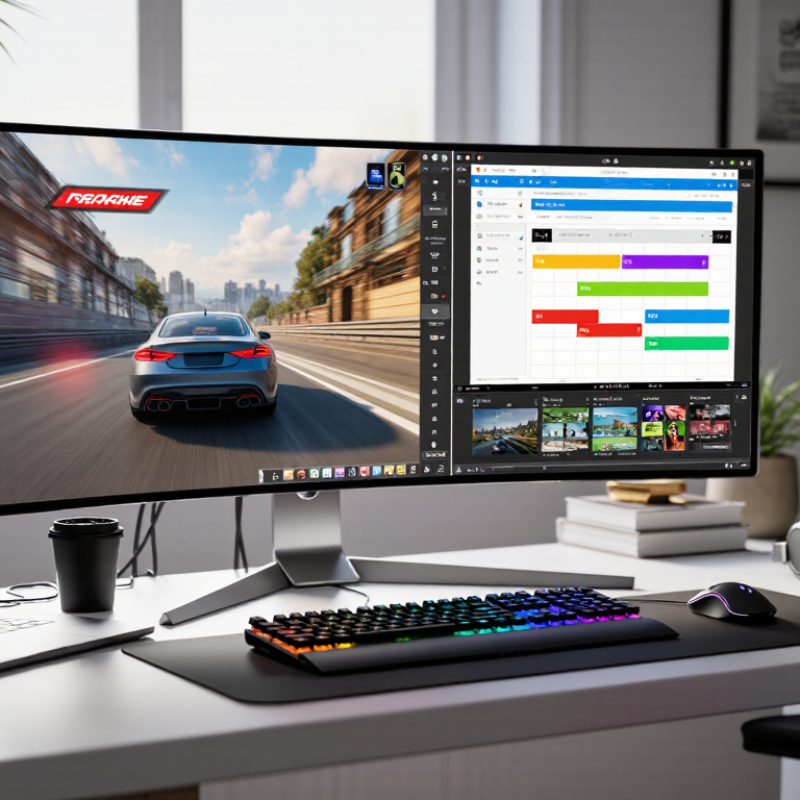
A curved monitor suits both gaming and work when its design matches your viewing distance and daily tasks. A gentle curve can keep the screen edges within view, especially on wide displays. This feels useful during racing games, timeline editing, and large spreadsheets. However, curvature alone does not improve every experience. A poorly matched screen may create distracting reflections or awkward text angles.
For gaming, look for a fast refresh rate, low response time, and adaptive synchronization. These features can make movement feel smoother and reduce visible tearing. Resolution also matters. Fine details should remain sharp across the entire panel.
For work, prioritize clear text, stable brightness, and enough horizontal space for two windows. A height-adjustable stand is important. Your neck notices poor positioning quickly.
I once preferred a very deep curve, but it felt excessive during document editing. A milder curve worked better for long writing sessions. That experience changed my selection process. Check the panel from your usual desk distance, not from a showroom aisle. VA panels often provide strong contrast, while IPS-style panels may offer more consistent viewing angles. Neither choice is automatically perfect. Consider lighting, software scaling, desk depth, and daily comfort before buying. A suitable curved monitor should support your habits quietly, rather than becoming the most noticeable part of your setup.
The 10 Best Curved Screens for Gaming and Work in 2026
The 10 Best Curved Screens for Gaming and Work in 2026 should balance immersion, comfort, and measurable performance. IDC’s Worldwide Quarterly Gaming Monitor Tracker reported 6.8% year-over-year shipment growth in Q1 2024, showing continued demand for faster, larger displays. Our shortlist focuses on 27-to-49-inch panels, 144Hz or higher refresh rates, adaptive synchronization, and adjustable stands.
For competitive gaming, a 27-inch or 32-inch 16:9 curved screen keeps eye movement controlled. A 34-inch ultrawide creates wider peripheral vision for racing and strategy games. Larger 49-inch models can replace two office monitors, but they need a deep desk and careful window management. DisplayHDR certification helps, although the label alone does not guarantee excellent contrast. Testing brightness, shadow detail, text sharpness, and motion clarity remains essential.
Statista Market Insights estimates the global gaming-monitor market will generate more than 10 billion dollars in 2025. That growth makes specification inflation a real concern. Some screens advertise extreme refresh rates while using modest resolutions or limited connectivity. I would prioritize a reliable 144Hz experience over an impressive number rarely supported by the computer. OLED panels deliver striking blacks, yet static work interfaces may require more care. I still prefer them for mixed use when warranty coverage, pixel-care features, and ventilation are clearly documented.
10 Best Curved Screens for Gaming and Work in 2026
A comparison of ten real-world curved monitor configurations by screen size and maximum refresh rate. Larger screens favor multitasking, while higher refresh rates support smoother gaming.
Screen sizes are measured diagonally in inches; refresh rates are shown in hertz. The configurations represent commonly available curved display specifications without identifying brands.
How to Choose the Right Curved Screen for Your Setup
How to Choose the Right Curved Screen for Your Setup
Choosing a curved screen depends less on appearance than on your desk, distance, and daily tasks. A 27-inch display suits compact desks and focused gaming. A 32- to 34-inch ultrawide gives spreadsheets, timelines, and games more breathing room. Measure your desk depth before buying. Your eyes should sit roughly 60 to 90 centimeters from the panel. A large screen can feel impressive, but it may cause constant head movement.
Curvature matters more than many buyers expect. A tighter 1000R curve can feel immersive during racing games, especially at close range. A gentler 1500R or 1800R curve often feels calmer for documents and design work. Choose at least a sharp QHD image for larger screens. Higher refresh rates improve motion clarity, while accurate colors matter for editing. Check independent measurements, not only the manufacturer’s claims. Response times can look excellent on paper and still show smearing in dark scenes.
Ports and adjustment features deserve attention. Look for suitable video inputs, height adjustment, tilt, and a stable stand. VESA support helps if the supplied stand wastes desk space. I once selected a screen with a dramatic curve, then found its stand too deep for my small desk. That mistake changed my buying checklist. Review real-world brightness, contrast, glare, and warranty terms. Leave room for doubt. A costly screen is not automatically the right screen.
10 Best Curved Screens for Gaming and Work in 2026? - How to Choose the Right Curved Screen for Your Setup