How to Choose the Best Curved Screen for Your Needs?
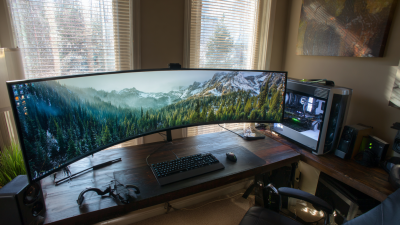
Choosing the right **Curved Screen** can significantly enhance your viewing experience. Recent research by DisplayMate highlights that curved displays can improve immersion by 21% compared to flat screens. This makes them popular among gamers and movie enthusiasts.
When selecting a **Curved Screen**, consider factors such as size, curvature radius, and resolution. Experts recommend a curvature of 1800R for a balanced viewing experience. While many users report satisfaction, some find that extended use can lead to distortions in images.
It's essential to weigh the benefits against potential drawbacks. Not all **Curved Screens** are created equal; quality varies by brand and model. Investing time into research can ensure a screen that meets both personal preferences and technical needs.
Understanding Curved Screen Technology and Its Benefits
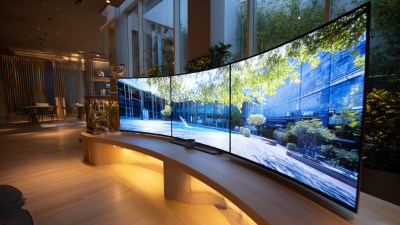
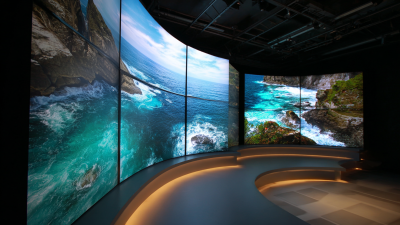
Curved screen technology has gained popularity for its immersive viewing experience. The design of these screens follows the natural curvature of the human eye, providing a more engaging field of vision. This can enhance gaming and movie-watching experiences by wrapping the visuals around you. Many users report feeling more connected to the content due to this enveloping effect.
One significant benefit of curved screens is reduced glare and reflections. The curvature can minimize distractions from the environment, allowing for uninterrupted viewing. However, not all users may appreciate this feature. Some might find the distortion at certain angles off-putting, especially when sharing the screen with others. The curvature's effectiveness can vary based on the room setup and lighting conditions.
Another consideration is the viewing distance. Curved screens may perform best when viewed from specific angles. Sitting too far or too close could detract from the experience. Users must evaluate their typical viewing positions and habits. Understanding how the technology works can help in making a more informed choice. Pay attention to these factors before investing in a curved screen to ensure it truly meets your needs.
How to Choose the Best Curved Screen for Your Needs? - Understanding Curved Screen Technology and Its Benefits
| Dimension |
Value |
Description |
| Screen Size |
27 inch |
Popular size for immersive gaming and movies. |
| Resolution |
2560 x 1440 |
QHD resolution providing clear and sharp visuals. |
| Curvature Radius |
1800R |
A steeper curve for a more immersive experience. |
| Refresh Rate |
144 Hz |
Smooth visuals for fast-paced gaming. |
| Panel Type |
VA (Vertical Alignment) |
Good contrast and color production. |
| Connectivity |
HDMI, DisplayPort |
Multiple options for connecting devices. |
| Adaptive Sync |
Yes |
Reduces screen tearing during gaming. |
Key Factors to Consider When Choosing a Curved Screen
When selecting a curved screen, several key factors warrant your attention. The size of the screen is crucial. Larger screens provide an immersive experience, while smaller ones are easier to fit into compact spaces. Consider the curvature; a more pronounced curve can enhance your viewing angles, but it might distort the image slightly at the edges. For clarity, be aware of the resolution. Higher resolutions make the display vibrant and sharp, which is essential for gaming and graphic design.
Next, think about the type of panel. IPS panels offer better color accuracy, while VA panels typically deliver deeper blacks and higher contrast. Refresh rate is important too. Higher refresh rates create smoother motion, which is invaluable for gaming. Check if the screen includes features like flicker-free technology and low blue light modes. These can reduce eye strain during long usage periods.
A notable aspect is budget considerations. Curved screens can range significantly in price, and more expensive doesn’t always mean better for your needs. Research the specifications that matter most for your use case. A display might have impressive specs but lack durability or long-term reliability, which is worth reflecting on. Make sure to read user reviews and expert opinions. This can reveal insights into the screen's performance over time.
Different Types of Curved Screens and Their Uses
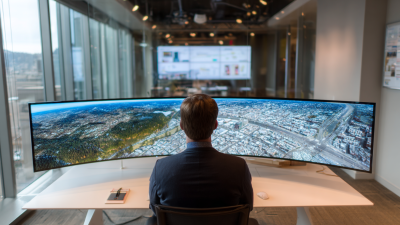
Choosing the right curved screen involves understanding the different types available and their uses. There are primarily three types: gaming monitors, ultra-wide displays, and TV screens. Gaming monitors are designed to enhance immersion. They often offer high refresh rates and low response times. Ultra-wide displays provide a panoramic view. This makes them ideal for multitasking and professional use. TV screens with curved designs aim to enhance the viewing experience in home theaters.
Curved screens can reduce glare and improve viewing angles. This feature is beneficial in rooms with ambient light. However, not all curved screens perform equally well in different environments. For example, the curvature radius affects how the screen feels. A more pronounced curve might be engrossing for gaming but less ideal for work tasks.
When selecting a curved screen, consider its resolution and size. Different resolutions impact picture clarity. Larger screens can create a more immersive experience, but they may require a larger space. There might be a learning curve while adapting to the screen’s shape and viewing angles. It’s essential to balance aesthetics with practicality. Remember to assess your specific needs before making a decision.
Curved Screen Types and Their Popularity
Evaluating Screen Size and Resolution for Your Needs
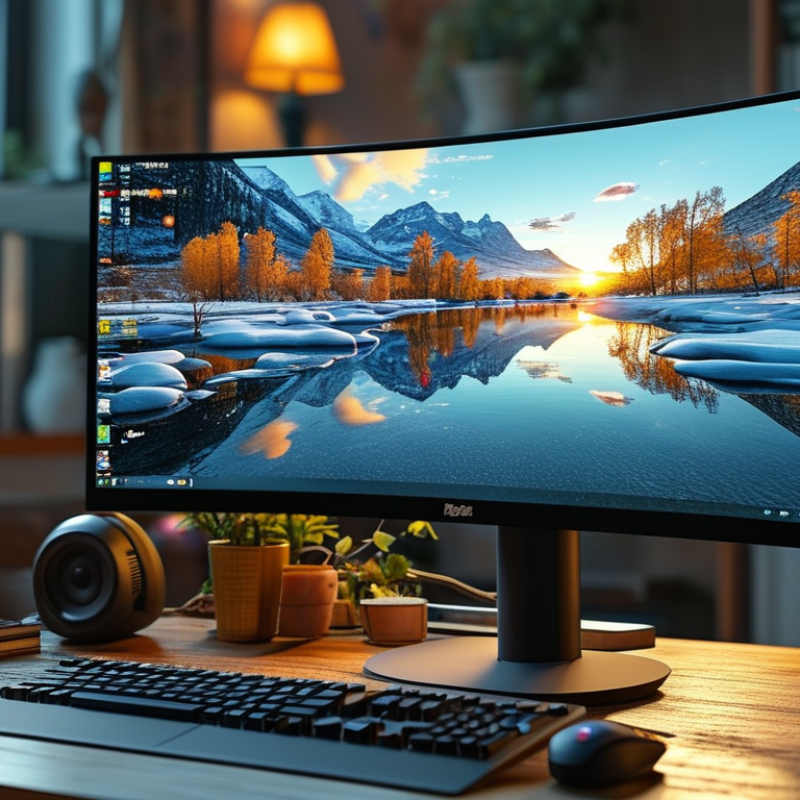
When choosing a curved screen, screen size and resolution play crucial roles. A larger screen can enhance immersion, making it perfect for gaming or watching movies. A 27-inch display can provide an engaging experience without overwhelming your field of view. However, consider your space. A big monitor requires a suitable desk and distance for comfort.
Resolution is another key aspect. A higher resolution, like 1440p or 4K, offers sharper images. This can be essential for creative professionals requiring precise details. However, one must reflect on their hardware. Not all computers handle high resolutions well, which can lead to frustrating performance issues.
For optimal choices, consider your primary usage. If gaming dominates your schedule, a faster refresh rate might be necessary. Alternatively, for office tasks, a balanced resolution enhances productivity without strain. Keep in mind scalability; choose a resolution that suits both your current setup and future upgrades.
Budget Considerations for Purchasing a Curved Screen
When considering a curved screen, budgeting can significantly shape your options. A basic understanding of what you can afford helps narrow down choices. Set a realistic budget early. This avoids overspending on features you might not use. Curved monitors can range widely in price. Determine how much you're willing to invest before diving deeper into specifications.
It's essential to balance cost with desired features. Cheaper models may lack advanced technologies, like high refresh rates or better resolution. Consider whether you'll be using the screen for gaming, work, or casual browsing. Every use case has different requirements, and understanding these can help you prioritize spending. Additionally, look for sales or refurbished models. This might allow you to get higher-quality options within your budget.
Don't forget to factor in additional costs. Monitor stands, quality cables, and warranties can add up quickly. Reflect on how much you truly need versus what looks appealing. Sometimes a more elaborate model offers pleasing design but lacks in function. Make sure your choice aligns with your actual usage needs, rather than just following trends. Recognizing this can lead to a more satisfying purchase in the long run.