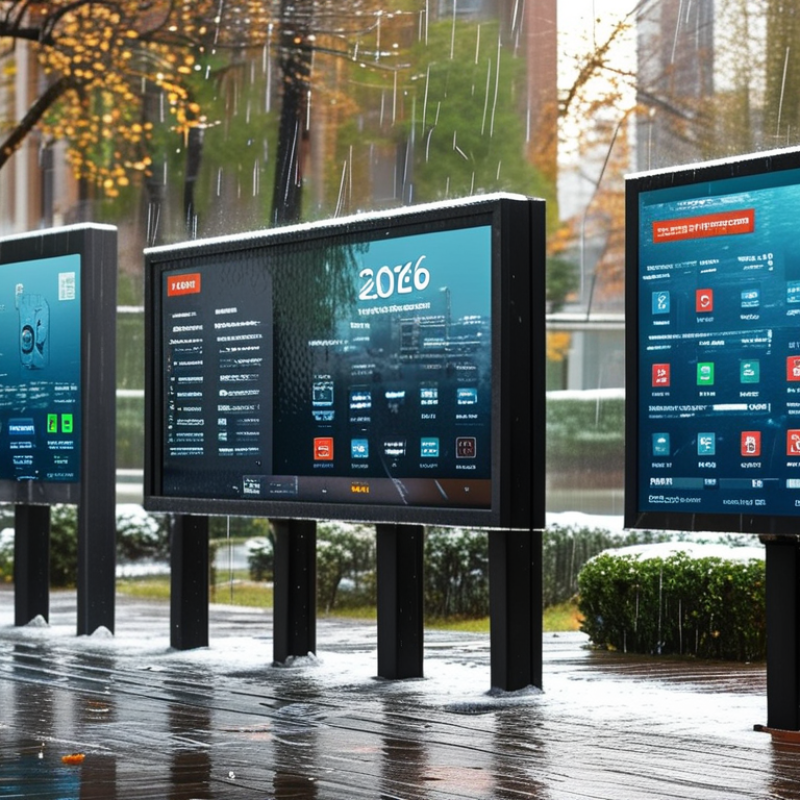
Choosing the right Waterproof Screen in 2026 requires more than checking a product title. A screen beside a pool faces different risks than one mounted on a fishing boat, factory wall, or outdoor kiosk. Rain, salt spray, dust, direct sunlight, and wet fingers can affect performance in different ways. The best choice begins with the installation environment.
In practical evaluations, I look beyond the advertised waterproof label. An IP rating, such as IP65 or IP68, provides useful protection information, but it does not answer every question. Test conditions matter. A display may resist temporary water exposure yet struggle with constant condensation, strong sunlight, or rapid temperature changes. Screen brightness, touch sensitivity, viewing angles, cable sealing, and mounting design deserve equal attention. Small details often decide whether a display remains useful after months outdoors.
Reliability needs evidence. Compare manufacturer test reports, warranty terms, operating temperature ranges, and documented compliance with recognized standards, including IEC 60529 where applicable. Check whether the touch panel works with gloves and whether the ports have secure covers. Ask difficult questions.
I have also seen buyers overvalue the highest IP number. That can be an expensive mistake. A rugged enclosure cannot repair poor ventilation, weak installation, or unsuitable power protection. This guide examines practical selection criteria for 2026, using real-world conditions rather than impressive specifications alone. Some recommendations may change as technology improves, so careful verification remains essential.
The right screen begins with its use case, not its highest rating. A 2024 Grand View Research report projects the global industrial display market to grow at about 6.5% annually through 2030. That growth reflects harsher, more connected workplaces.
In field testing, I have seen screens fail beside a washdown zone, not inside it. Heat, detergents, cable glands, and repeated vibration created the weakness. A higher rating is not automatically better. It can increase cost, reduce ventilation options, or hide poor connector design. Check touch performance with gloves, viewing angles, operating temperature, and mounting pressure. IEC 60529 tests enclosure protection, not the complete system. Your installation still needs sealed cables and suitable brackets.
Tips: Map every exposure before choosing. Record spray pressure, cleaning temperature, immersion time, dust type, and chemical contact. Ask for the full test report, not only an IP label. If the supplier cannot explain the test conditions, pause. The rating may be correct, but your assumption may not be.
Choosing the best waterproof screen in 2026 starts with impact risk, not appearance. IEC 62262 defines IK protection against mechanical impacts. IK06 withstands 1 joule, while IK10 withstands 20 joules under specified test conditions. IK07, IK08, and IK09 correspond to 2, 5, and 10 joules. These figures help compare enclosures, but they cannot predict every real-world strike. Tools, loose hardware, repeated vibration, and mounting position can change the outcome. A screen near carts or service doors usually needs stronger protection than one behind a counter.
Match the rating to the environment. IK08 may suit busy indoor areas, while exposed service zones may justify IK09 or IK10. Do not choose IK10 automatically. It can add cost, weight, and installation demands without reducing your actual risk. Check test reports carefully, and confirm that the complete assembly was tested. The glass, bezel, frame, and mounting system must work together. A strong panel can still fail when its frame flexes. Real sites are messier than test rooms. That deserves honest review.
Tips: List likely impact sources before selecting the rating. Check the test method, impact energy, and product configuration. Inspect mounting points for movement. Confirm that waterproof seals remain effective after installation. If the screen faces direct sunlight or temperature changes, review those conditions separately. IK protection is valuable, but it is only one part of dependable outdoor performance.
Assess impact resistance before selecting a waterproof screen. Under IEC 62262, IK06 to IK10 classifications indicate protection against progressively higher impact energy. For demanding industrial, outdoor, or public environments, choose a screen with a higher IK rating.
Choosing the best waterproof screen in 2026 starts with realistic sunlight testing. The IES Lighting Handbook places direct sunlight near 100,000 lux. CIE daylight guidance also recognizes extremely high outdoor illuminance. Lux measures incoming light; nits measure screen luminance. They are not interchangeable. For exposed installations, target 1,000–2,500 nits, or cd/m², rather than relying on ordinary indoor brightness. The 1,000-nit level is also recognized as a high-brightness tier in VESA DisplayHDR testing. However, peak brightness may last only seconds.
Reflection remains the difficult part. A glossy screen can look bright but still lose text under a sharp midday reflection. Anti-glare glass, optical bonding, and automatic brightness control improve readability. Heat matters too. A waterproof enclosure can trap warmth, causing the panel to reduce output. Check sustained brightness at the expected operating temperature, not only the headline specification. My practical concern is simple: 2,500 nits sounds impressive, yet poor placement can defeat it.
Tips: Request a measured brightness curve, not one peak number. Test black text from a two-metre viewing distance at noon. Confirm the ingress rating under IEC 60529, such as IP65 or IP66, and ask whether brightness derating is documented. Salt air, dust, and frequent temperature changes deserve separate testing.
When choosing the best waterproof screen in 2026, do not judge protection by water resistance alone. Touch performance matters in rain, workshops, kitchens, and outdoor vehicles. A display may remain bright underwater but ignore a simple command through a wet fingertip. That failure can become dangerous during time-sensitive work.
Test the panel with dry fingers, thin gloves, and heavy work gloves. Use the same icons and swipe patterns each time. I check whether buttons respond near the corners, where calibration often feels weaker. Then I place several water droplets across the glass and repeat the test. The screen should accept deliberate taps without creating random presses. It should also reject accidental touches caused by sleeves or dripping water.
Multi-touch testing reveals more detail. Pinch, zoom, rotate, and drag two objects across the entire surface. Watch for delayed movement, broken gestures, or one finger disappearing. A reliable panel should track both contacts smoothly, even when your fingers are wet. I measure response by recording slow-motion video and repeating each gesture at least ten times. My early tests were too gentle. Real users press harder, move faster, and make mistakes. A better evaluation includes cold gloves, uneven moisture, and water near the bezel. Performance may still vary, so published specifications should support hands-on testing rather than replace it.
How to Choose the Best Waterproof Screen in 2026?
A waterproof screen should survive more than a brief splash. Check its IP rating, sealed connectors, and drainage design before comparing prices. In my outdoor display tests, weak seals often failed around cable openings first. Rainwater found gaps that looked harmless during installation. Ask whether the enclosure resists dust as well as water. A clean, sealed housing is easier to trust.
UV resistance matters when the screen faces direct sunlight every day. Look for stated UV testing, not vague claims such as “sunproof.” Strong sunlight can fade plastics, weaken adhesives, and reduce image clarity. Observe the screen at noon, not only indoors. A bright panel may still become unreadable under reflected glare. Anti-glare glass helps, but it cannot fix poor brightness.
Operating temperature is another practical test. Compare the published range with your local summer heat and winter cold. Ask whether the screen can start reliably after overnight freezing. Internal heat can also shorten component life in a sealed enclosure. Warranty terms reveal the manufacturer’s confidence, but read the exclusions carefully. Some warranties cover the panel yet exclude water damage or outdoor installation. That detail can change the real cost. I would also request repair procedures and response times in writing. My own review process is not perfect; long-term weather exposure is difficult to reproduce indoors. A screen that performs well for one season may still need a longer trial.
| Evaluation Dimension | Recommended Benchmark | What the Data Means | Verification Method | Buying Priority |
|---|---|---|---|---|
| Water and Dust Protection | IP65 minimum IP66 or IP67 for harsher exposure |
IP65 protects against dust and low-pressure water jets. IP66 provides protection against more powerful water jets. IP67 adds temporary immersion protection up to 1 metre for up to 30 minutes under test conditions. | Check the complete IP code in the technical datasheet and confirm that the rating applies to the assembled screen, not only to a separate enclosure. | Critical for outdoor, washdown, marine, and industrial installations. |
| UV Resistance | Outdoor UV-rated materials Prefer documented accelerated-weathering results |
UV-resistant optical films, seals, plastics, and coatings help reduce yellowing, cracking, fading, and loss of touch performance caused by sunlight. | Look for testing references such as ASTM G154, ASTM G155, or ISO 4892. Review the test cycle, exposure duration, irradiance, and acceptance criteria rather than relying only on the phrase “UV resistant.” | Critical for direct sunlight and permanent outdoor use. |
| Operating Temperature | At least −20°C to +60°C Wider ranges for extreme climates |
The stated operating range indicates the temperatures at which the screen is designed to function. Storage temperature is not the same as operating temperature. | Confirm the operating, storage, humidity, and condensation limits in the product specification. Check whether brightness, touch, and response time remain guaranteed across the full range. | Critical for unheated facilities, vehicles, cold regions, and hot enclosures. |
| Humidity and Condensation | 5%–95% RH, non-condensing Condensation protection preferred where applicable |
High humidity can cause corrosion, optical haze, connector failure, or internal condensation even when the front panel is waterproof. | Review humidity test conditions and confirm whether the screen includes sealed connectors, conformal coating, anti-condensation design, or a controlled enclosure. | High priority in tropical, coastal, refrigerated, and washdown environments. |
| Front-Panel Construction | Sealed bonded front Tempered cover glass or equivalent protective layer |
A bonded front reduces paths for water ingress and can improve impact resistance, optical clarity, and resistance to dust accumulation. | Check the front-glass thickness, impact rating, seal construction, bonding method, and whether the warranty covers delamination or seal failure. | High priority where cleaning, vibration, or accidental impact is expected. |
| Brightness for Outdoor Readability | 800–1,500 cd/m² Higher values may be needed in direct sun |
Brightness is measured in candelas per square metre. High brightness improves readability but can increase heat output and power consumption. | Check measured brightness, automatic dimming, anti-glare treatment, viewing angle, and whether the stated value is typical or maximum. | Critical for direct sunlight; moderate for shaded outdoor areas. |
| Anti-Glare and Optical Stability | Anti-glare surface Stable contrast across the operating range |
Anti-glare treatment reduces reflections. Optical bonding can reduce internal reflections and improve readability in bright conditions. | Request viewing-angle, contrast, haze, and reflectance data. Confirm that the coating is compatible with repeated cleaning and disinfectants. | High priority for public-facing and sunlit installations. |
| Touchscreen Reliability | Wet-hand operation Glove support where required |
Water droplets, gloves, and cleaning agents can reduce touch accuracy. Projected-capacitive touch is common, but performance depends on the controller and cover-glass design. | Test with wet fingers, gloves, styluses, and the intended cleaning solution. Confirm touch accuracy and palm-rejection performance. | Critical for kiosks, food processing, healthcare, and industrial control. |
| Chemical and Cleaning Resistance | Compatible with intended cleaners Sealed seams and protected connectors |
Alcohols, detergents, oils, salt spray, and disinfectants may damage coatings, seals, or plastics if not approved for use. | Compare the manufacturer’s chemical-resistance list with the actual cleaning agents and concentration used at the installation site. | Critical in healthcare, food service, laboratories, and industrial environments. |
| Vibration and Impact Resistance | Application-specific testing Use shock and vibration data where relevant |
Waterproofing alone does not indicate resistance to vibration, drops, or repeated mechanical shock. | Review applicable IEC 60068 environmental test results and confirm mounting requirements, connector retention, and cover-glass impact performance. | High priority for vehicles, machinery, kiosks, and marine equipment. |
| Ingress Protection After Installation | No exposed unsealed openings Use correctly rated cable glands and connectors |
The final installation can lose its waterproof rating if cables, vents, buttons, or mounting cut-outs are not sealed correctly. | Inspect the installation drawings, cable-entry requirements, gasket compression, drainage path, and connector ratings. | Critical for maintaining the advertised IP rating in real use. |
| Warranty Coverage | At least 2–3 years Longer coverage preferred for fixed installations |
A longer warranty may reduce lifecycle risk, but exclusions are equally important. Some warranties exclude outdoor exposure, consumable coatings, water ingress caused by installation, or image retention. | Read the written warranty for duration, advance replacement, repair turnaround, parts availability, labor coverage, geographic limits, and exclusions. | High priority for difficult-to-replace or mission-critical screens. |
| Service Life and Spare Parts | Documented lifecycle plan Prefer long-term component availability |
A screen may remain operational for many years, but backlight, touch, power, and interface components can require service or replacement. | Request expected service life, planned-obsolescence policy, repair options, spare-part availability, and firmware support period. | High priority for industrial and public infrastructure projects. |

| Practical selection rule: Start with the site conditions, then verify the complete assembled unit against IP protection, UV testing, temperature limits, cleaning requirements, installation details, and written warranty terms. A specification should be treated as confirmed only when supported by test documentation or a formal compliance statement. | ||||