What Is a Transparent Spherical Screen?
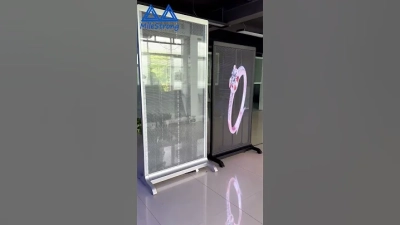
A transparent spherical screen is a display surface shaped like a globe, designed to show images while allowing some light or scenery to remain visible through it. The name can describe different technologies. Some systems use transparent mesh with rear projection; others use LED elements arranged across a curved structure. They are not interchangeable. The exact effect depends on the screen material, pixel spacing, projector or LEDs, and viewing conditions. A product labeled Transparentsphericalscreen may look nearly clear in a bright room, yet its image can lose contrast when sunlight or strong ambient lighting reaches the surface.
The sphere creates visual impact, but it also brings practical challenges. Curved geometry can stretch or distort images, so content often needs careful mapping and calibration. A small test projection can reveal dark patches, seams, and uneven focus before a full installation. Viewing distance matters. So does the audience’s position. From one angle, a graphic may appear crisp; from another, it may feel fragmented. That distinction matters. Transparent does not mean invisible, and spherical does not guarantee a seamless picture. For exhibits, events, or design environments, compare brightness, transparency, resolution, maintenance needs, and installation requirements under realistic conditions. Ask for a demonstration using the intended content, not only polished product footage. Even then, expectations may need adjusting. The strongest choice is usually the one that balances visibility, image quality, and the space around it—not the one with the most dramatic label.
Definition and Basic Concept
A transparent spherical screen is a display surface shaped like a sphere that allows some light to pass through. It may use clear or translucent material, fine mesh, or a coating that scatters projected light. Unlike a flat screen, it presents imagery across a curved, three-dimensional form. The background can remain partly visible.
That is the basic idea.
When a projector sends light onto the sphere, selected areas scatter enough light for an image to appear, while other areas preserve transparency. The result depends on the material, room lighting, projector position, and viewing angle. In a dim room, a pale graphic may look crisp; beside a bright window, it can appear washed out. Small alignment errors can bend lines or shift graphics around the curve.
It is not magic. The sphere needs careful mapping and calibration, and some designs are easier to see from certain directions. “Transparent” does not mean perfectly invisible: coatings, seams, reflections, and supports may still be noticeable.
In practice, the concept balances image brightness with how much of the real scene remains visible.
That balance can be tricky.
Spherical Structure and Display Components
What Is a Transparent Spherical Screen?
Spherical Structure and Display Components
A transparent spherical screen combines a curved support structure with a light-diffusing display surface. The shell may use clear acrylic or polycarbonate, while a fine transparent film or mesh helps projected images appear visible. These materials are not interchangeable: each affects weight, clarity, reflections, and viewing distance. The frame must hold the sphere steady without blocking too much of the image. Small seams can show.
Display components usually include one or more projectors, image-mapping software, and a media source. For a full-sphere image, the software adjusts content to the curved surface and corrects distortion. Multiple projectors may reduce shadows, but their images need careful alignment. Bright room lighting can wash out the display, even when the screen looks clear when switched off. Performance depends on the material and setup, so specifications should be checked before installation.
Tips: View the sphere from several angles before final calibration. Test with real content, not just a still image. A faint edge or uneven brightness may remain; note it honestly and adjust the setup rather than promising perfect visibility.
How Light Creates Images on the Screen
What Is a Transparent Spherical Screen?
How Light Creates Images on the Screen
A transparent spherical screen creates an image when projected light meets a surface designed to scatter some of it. The sphere may use a clear shell with a fine diffusing layer. That layer redirects light toward viewers instead of letting all of it pass straight through. A pale point on the sphere can therefore appear bright from several viewing angles, while the scene behind it remains partly visible.
The projector’s image must be shaped to fit the sphere’s curve. Otherwise, straight lines can bend, and faces near the edges may look stretched. For larger displays, carefully aligned projectors can cover different sections, though their images need to blend without visible seams. Small alignment errors show. Even a slight shift can make a bright edge appear doubled.
Ambient light also changes what people see. In a dim room, projected colors usually stand out more clearly; bright surroundings can wash them out. The transparent surface creates a real trade-off: stronger diffusion can improve visibility but may make the background less distinct. The effect is never perfectly even. A dim corner or a reflection from overhead lighting can interrupt the image, so testing from several seats matters. There is no single setting that works for every room.
Applications, Advantages, and Limitations
What Is a Transparent Spherical Screen?
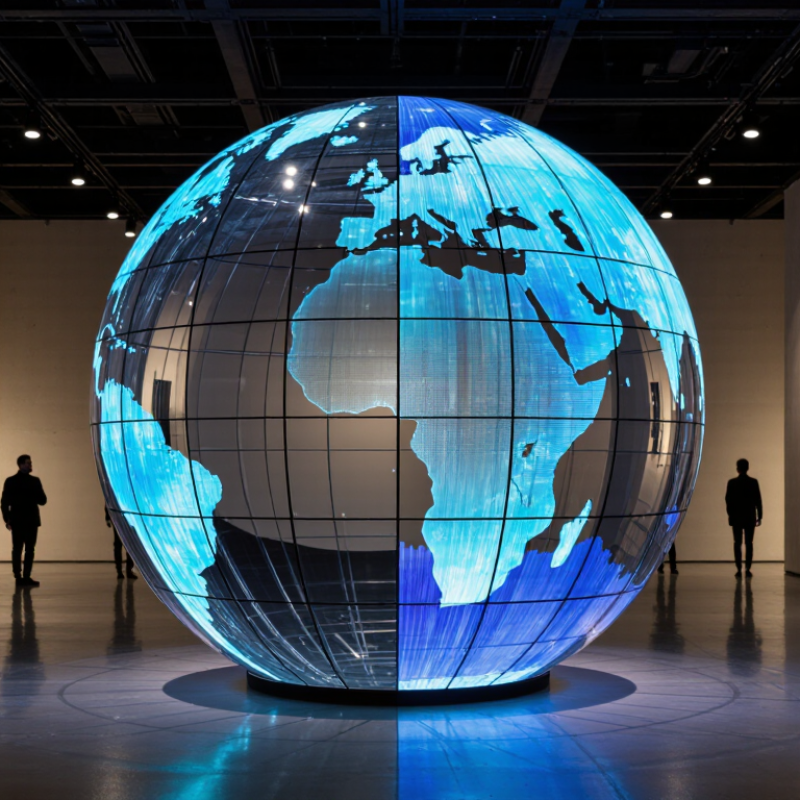
A transparent spherical screen is a curved display surface that can show images while remaining partly see-through. Depending on its material and projection method, visuals may appear across the sphere or float within it. The result can suggest a three-dimensional object without a headset. It is not a true hologram.
These screens can support museum exhibits, product demonstrations, science displays, and event installations. A rotating globe, for example, can show weather patterns while visitors still see the room beyond it. The spherical shape invites people to view content from different sides. That makes shared viewing easier. It can also make complex subjects feel more tangible, especially when motion is used carefully.
There are trade-offs. Bright rooms can wash out projected images, and viewers may see uneven brightness or distorted graphics near the edges. Placement matters. Content must be designed for a curved surface, not simply copied from a flat screen. Small text often becomes hard to read. Some systems also require careful calibration and a stable installation. The effect can be striking, but it may disappoint when the display is treated as a plug-and-play solution. Testing the screen under real lighting conditions is essential.